
TOTPRadius - Web Server and LDAPS certificates
The admin panel allows uploading different types of certificates. Navigate to "Web Server and LDAPS certificates" from the left menu

Management interface
The management interface of TOTPRadius is web based and is recommended to be accessed via HTTPS protocol (although HTTP is also supported and can be enabled if needed). In addition to the admin panel functionality, the web server is used for server replication (if configured in master/slave mode) and REST Web API (used for web-based integrations such as Citrix StoreFront self-enrollment, WordPress and ADFS plugins). Therefore, it is recommended to generate and apply the proper web server certificate for these interfaces. The appliance comes with a dummy self-signed certificate that is recommended to be replaced with your own. You can use a public certificate or a certificate issued by your internal CA (if the internal CA trust has been added to all your clients).To update the web certificate files, you need to navigate to Admin Portal -> Web Certificate page and paste the content of the private key and the certificate itself into the corresponding text areas in the Admin panel web certificate section.

VPN Interface
A similar procedure is required for updating the certificate of the VPN Portal running on the same appliance but a different port (9443). As this is the interface facing public internet (via 1:Many NAT from 443 to 9443), a commercial web certificate might be needed. You can also place the VPN portal behind a CDN that can provide the SSL certificate as a part of the service (i.e. Cloudflare).
Click on "Update certificates" button to apply the changes. The web server will need to be restarted to complete the process.

LDAPS CA Certificate
The same page allows uploading your CA Root certificates if you decide to use LDAPS protocol to connect to your LDAP servers. You can also use the built-in tool to retrieve the certificate from your LDAPS server.
About
Installation and configuration
- Installation and initial configuration
- Network configuration
- Migrating from older versions
- LDAP Configuration
- Azure AD Configuration
- Self-service enrollment portal
- Web and LDAPS Certificates
- Syslog configuration
- Single-factor authentication exceptions
- Slave appliance mode
- Dynamic RADIUS Attributes
Integration guides
Blog
14-07-2026
token2-fido-bridge: NFC and smartcard FIDO2 devices on Linux
 Linux does not allow using non-USB transport for FIDO2 natively. We're happy to announce token2-fido-bridge, a small open-source tool that finally lets browsers on Linux use FIDO2 credentials stored on NFC and contact smartcards for WebAuthn.
28-06-2026
Libre Key Companion: manufacturer-agnostic security key manager for Android and iOS
 We're happy to announce Libre Key Companion, a new open-source companion application for Android and iOS that lets you manage hardware security keys and smart cards from any manufacturer.
17-06-2026
An open-source, cross-platform way to manage your Token2 keys: Companion App - Rust edition
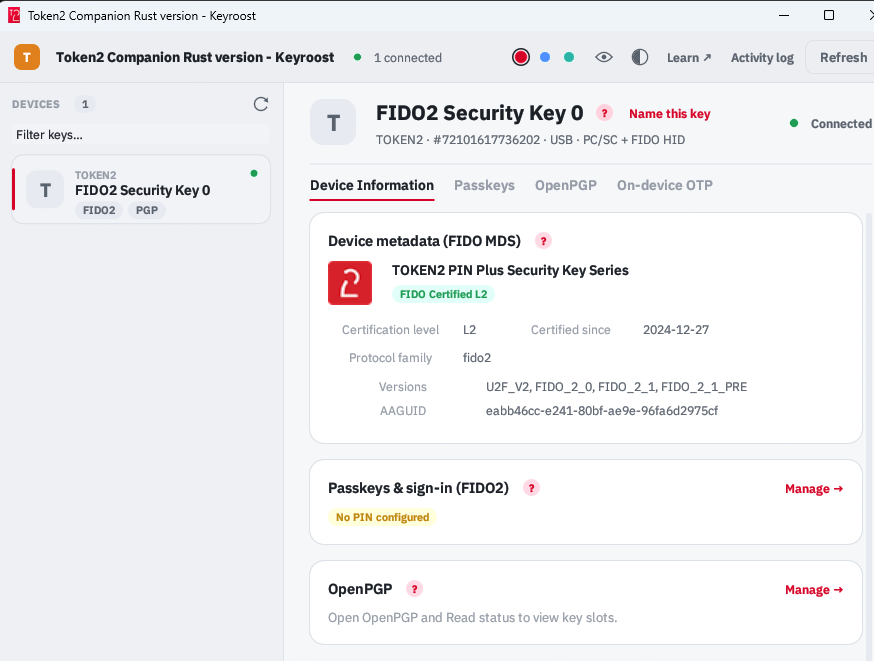 Token2 Companion - Rust edition - an open-source, cross-platform desktop tool for managing Token2 keys, and keys from other vendors too. It runs on Windows, macOS, and Linux, and the whole thing is open source: you can read it, audit it, build it, and extend it.